
How to Become a UI/UX Designer in 2026: Step-by-Step Guide for Beginners
By Elearn Infotech Career Guidance Team, with input from our UI/UX design trainer · Updated
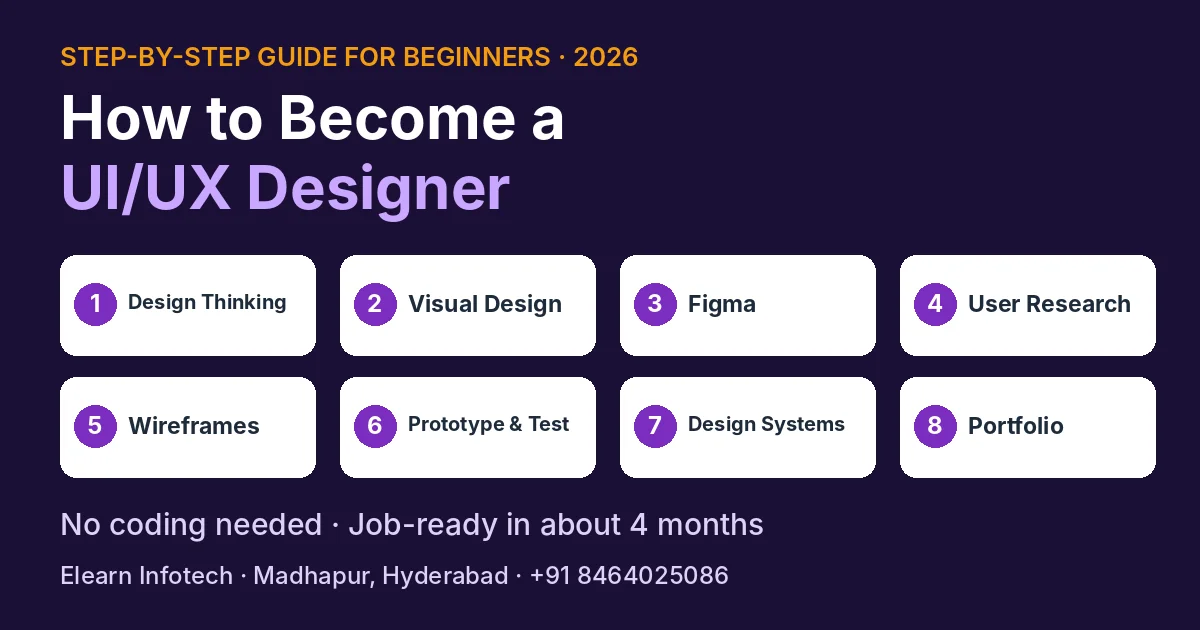
Quick answer: To become a UI/UX Designer, learn design thinking, visual design basics (layout, colour, typography) and Figma. Then practise user research, wireframing, prototyping and usability testing, learn design systems and AI design tools, and build a portfolio of case studies. You don't need coding, drawing skills or a design degree. With a structured course, most beginners become job-ready in about 4 months.
Every app you use, from food delivery to banking, was planned by someone who thought about how people would use it. That person is a UI/UX Designer. It is one of the few tech careers that welcomes people from any background: engineering, commerce, arts or science. This guide explains what the job involves and the exact steps to get your first UI/UX role, in simple words.
What Does a UI/UX Designer Do?
Think of a food delivery app.
- UX (User Experience) is about how easy it feels. Can you find your favourite restaurant quickly? Is checkout simple? A UX designer studies users, finds problems and plans the flow.
- UI (User Interface) is about how it looks. The colours, buttons, icons and text sizes. A UI designer makes each screen clear and attractive.
Most companies hire one person who does both, which is why the role is called UI/UX Designer.
Do You Need Coding, Drawing or a Design Degree?
No to all three. UI/UX design is done in tools like Figma, not in code. You don't need to draw well either; you work with shapes, text and images on screen. And companies care about your portfolio, not your degree. What you do need is curiosity about people, attention to detail and patience to improve your work based on feedback.
Step 1: Learn Design Thinking
Design thinking is the problem-solving method behind every good product. It has five stages:
- Empathize: understand users and their problems.
- Define: write down the exact problem to solve.
- Ideate: come up with many possible solutions.
- Prototype: build a quick, clickable version of the idea.
- Test: watch real users try it and improve it.

Step 2: Learn Visual Design Basics
Good-looking screens follow simple rules. Learn layout and spacing, colour theory, typography (choosing and pairing fonts), visual hierarchy (what the eye sees first) and basic accessibility, such as enough contrast for easy reading.
Practice idea: pick an app you use daily and redesign one screen to make it cleaner.
Step 3: Master Figma
Figma is the main tool UI/UX designers use today. Learn frames, auto layout, components, variants and how to share designs with developers. Also get familiar with tools teams use alongside it, such as Miro for brainstorming, Balsamiq for quick wireframes and Maze for user testing.
Step 4: User Research and Personas
Before designing anything, talk to users. Learn how to run short interviews and surveys, create user personas (a profile of a typical user) and map the user journey, step by step, to find where people get stuck.
Step 5: Wireframes and Information Architecture
A wireframe is a simple black-and-white sketch of a screen. It helps you plan what goes where before you add colours. Information architecture means organising content and menus so users find things easily.
Step 6: Prototyping and Usability Testing
Turn your designs into clickable prototypes in Figma or ProtoPie, then test them with real people. Watch where they hesitate or get confused, and fix those spots. This step is what separates a designer from someone who only makes pretty screens.
Step 7: Design Systems, Mobile App Design and AI Tools
Companies use design systems, a shared library of colours, fonts, buttons and rules, so every screen looks consistent. Learn to build a small one. Practise mobile app design, since most products are used on phones. Finally, learn how AI tools can speed up research summaries, content and early ideas, while you keep the final design decisions.
Step 8: Build Your Portfolio with Case Studies
Your portfolio is the most important part of your job search. For each project, show a case study: the problem, your research, your wireframes, the final design, what you tested and what you changed. Recruiters want to see how you think, not just the final screens.
Project ideas: a food delivery app, a banking app onboarding flow, a travel booking website, a fitness tracker app and a redesign of a local business website.
Share your portfolio on Behance or as a simple PDF, and keep 4–6 strong case studies rather than many weak ones.
A Realistic Timeline
| Month | Focus |
|---|---|
| Month 1 | Design thinking, visual design basics, Figma |
| Month 2 | User research, personas, wireframes, information architecture |
| Month 3 | Prototyping, usability testing, design systems, mobile app design |
| Month 4 | Case studies, portfolio, AI tools, mock interviews and applying |
Real Student Story
Akhil finished his B.Tech in 2024 and joined our UI/UX Design course. After completing it, he got a job as a fresher. His story shows that you can move into design straight after graduation.
5 Mistakes Beginners Make
- Copying designs from Dribbble without research. Interviewers ask "why", and copied work has no answer.
- Only showing final screens. Show your process in case studies.
- Learning too many tools at once. Master Figma first.
- Skipping usability testing. Real feedback makes your work stronger.
- Waiting for a "perfect" portfolio. Start applying once you have 4–5 solid case studies.
UI/UX Designer vs UI Developer: Don't Mix Them Up
A UI/UX Designer plans and designs screens in Figma. A UI Developer turns those designs into working web pages using HTML, CSS, JavaScript and React JS. If you enjoy design and people, choose UI/UX. If you enjoy coding, look at our UI Development course.
What to Look for in a UI/UX Design Course
- Real projects and case studies, not just tool tutorials.
- Portfolio support, so you finish with work you can show.
- An experienced trainer who reviews your designs and gives feedback.
- Placement support in writing, with clear terms.
- Flexible batches, such as weekend or online options if you work or study.
- A free demo class before you pay.
UI/UX Design Course in Hyderabad at Elearn Infotech

If you want to follow these steps with an experienced trainer, our UI/UX Design course in Hyderabad covers every one of them: design thinking, user research, wireframing, visual design, prototyping, usability testing, design systems, mobile app design, AI tools and portfolio building, using Figma, ProtoPie, Adobe XD, Maze, Miro, Marvel, Zeplin and Balsamiq.
- Duration: 4 months
- Projects: 12 real-time projects and 5 case studies
- Fee: ₹30,000 (Placement Support Program) or ₹60,000 (Placement Guarantee Program, with internship certification)
- Batches: weekday batches, and weekend batches from 9 AM to 1 PM for working professionals
- Mode: UI/UX training in Hyderabad at our Madhapur institute, near Hitech City, or live online
- Suitable for: freshers, graduates, non-IT students and working professionals
Looking for a UI/UX institute in Hyderabad near you? Students join our Madhapur classes from Gachibowli, Kondapur, Kukatpally, KPHB, Ameerpet and Secunderabad. Not sure UI/UX is right for you? Read Which Software Course Should a Fresher Choose in 2026?
Frequently Asked Questions
How do I become a UI/UX Designer with no experience?
Learn design thinking, visual design basics and Figma, then practise user research, wireframing, prototyping and usability testing. Build 4–6 portfolio case studies that show your process, and apply for junior UI/UX Designer roles. A structured course with real projects helps you do this in about 4 months.
Do I need coding to become a UI/UX Designer?
No. UI/UX Designers work in design tools such as Figma, not in code. Basic knowledge of how websites are built helps when you work with developers, but coding is not required.
Can a non-IT or non-design graduate become a UI/UX Designer?
Yes. UI/UX design welcomes people from engineering, commerce, arts and science backgrounds. Companies look at your portfolio and thinking process, not your degree.
How long does it take to become a UI/UX Designer?
With a structured course and regular practice, most beginners become job-ready in about 4 months. Learning on your own usually takes longer, especially building strong portfolio case studies.
Which tools should a UI/UX Designer learn?
Start with Figma, the main design tool used today. Then learn supporting tools such as ProtoPie for prototypes, Miro for brainstorming, Balsamiq for wireframes, Maze for user testing, and AI tools that speed up research and ideas.
What is a UI/UX portfolio case study?
A case study explains one project from start to finish: the problem, your user research, wireframes, final design, testing and what you improved. Recruiters use case studies to understand how you think.
Is there a UI/UX course with placement in Hyderabad?
Yes. Elearn Infotech in Madhapur offers the UI/UX Design course with two options: a Placement Support Program at ₹30,000 and a Placement Guarantee Program at ₹60,000 with internship certification and written terms.
What is the UI/UX Design course duration and fee at Elearn Infotech?
The UI/UX Design course at Elearn Infotech, Madhapur takes 4 months and includes 12 real-time projects and 5 case studies. The fee is ₹30,000 for the Placement Support Program or ₹60,000 for the Placement Guarantee Program. Weekday and weekend batches are available, in classroom and live online modes.
Related: Which Software Course Should a Fresher Choose in 2026? · Python Full Stack vs Java Full Stack vs MERN
Note & About this Guide
This guide was written by the Elearn Infotech career guidance team in Madhapur, Hyderabad, based on how our UI/UX trainer teaches beginners and the questions students ask us at counselling. Course fees, durations and project counts are correct as of November 2026; please call us for the latest batch details.